
A Google Business Profile (GBP) is the free listing Google displays when someone searches for a local business by name or category. Getting every field right, keeping the information accurate, and adding the right supporting content is what GBP optimization means in practice. The directory listings that surround the profile carry the same details and drift out of step with it over time. This guide walks through what GBP optimization involves, field by field, so you know exactly what to check and why.
On this page
What GBP Optimization Actually Means
The Definition in Plain English
GBP optimization is the process of completing, correcting, and maintaining every editable field in a Google Business Profile so the listing accurately describes the business. Google was formerly called Google My Business (GMB); the two terms refer to the same platform. If a field is blank or wrong, that gap is visible to anyone reading the profile.
Google’s own guidance is worth quoting directly. Per Google’s help documentation, “businesses with complete and accurate info are more likely to show up in local search results,” and if the information is not accurate the profile “might not show up for relevant searches in your area.”
What a Fully Optimized Profile Contains
A fully completed profile has all of the following filled in:
- Business name (matching signage and legal name)
- Primary category and up to nine secondary categories
- Address or a defined service area
- Phone number and website URL
- Regular hours plus special hours for holidays
- Business description (up to 750 characters)
- Attributes (wheelchair accessible, outdoor seating, etc.)
- Services or products list
- Photos: exterior, interior, team, and work samples
Takeaway: Optimization is not a trick. It is the boring work of filling every field with information a customer can rely on.
The Core Fields: What Each One Does

Name, Category, and Description
The primary category is the single most important “what you are” declaration in the profile. It should match the service the business most consistently delivers, not the broadest label available. A clinic that mostly does physiotherapy should not be listed as “Massage Therapist” just because that category also technically applies.
Secondary categories let a business describe related work without changing its primary identity. The business description (up to 750 characters) should be factual and specific. Vague or promotional copy wastes the field; a plain summary of what the business does, who it serves, and where reads better to a searcher.
Address, Service Area, and Hours
Storefronts list an address. Service-area businesses (plumbers, mobile groomers, tutors) define the geography they cover. Defining an overly wide area brings in inquiries from outside a realistic working radius, which wastes everyone’s time.
Hours should match reality, including seasonal changes and holidays. Special hours are a separate field, and Google surfaces them when they apply. Wrong hours produce missed calls and complaints.
Photos, Attributes, and Services
Attributes function as quick filters (“wheelchair accessible,” “free Wi-Fi,” “appointment required”). Only enable attributes the business can actually honor; a misleading attribute produces complaints and edits from the public.
Photos should cover the exterior, interior, team, and work products. Each photo type occupies a different slot on the profile, and a listing with only a logo reads as thinner than one showing the actual premises and the people working there.
Takeaway: Pick the primary category that describes what you sell most often. Then write a factual description that a stranger could read without needing a translator.
One Business, One Walkthrough: Maple Street Physio

Maple Street Physio is a composite example, not a real client. It is a two-therapist clinic whose owner opened the profile expecting a quick tidy-up and found more than expected.
Stage 1, Audit: Finding What Was Wrong
The clinic’s primary category was set to “Massage Therapist” rather than “Physical Therapist,” a mismatch left over from the original setup done by a receptionist years earlier. The owner spent roughly two hours across a week going through the profile and the top directory listings. Three other issues surfaced: an old phone number on Yelp from a previous line, a misspelled street name on Apple Maps, and no business description on the GBP itself.
Stage 2, Corrections: Field by Field
Correcting the category, rewriting the description, and updating hours for the summer schedule took one focused afternoon. The owner noted the description took longest. Writing a roughly 600-character factual summary without marketing fluff required three drafts. The category change was the fastest edit, but Google flagged it for review before the change appeared publicly.
For the profile itself, the clinic used a one-time Google Business Profile boost to make sure the categories, services list, and attributes were set the way a physiotherapy clinic should present.
Stage 3, Supporting Citations: Checking Consistency
The citation work was a separate job. A specialist checked the clinic’s name, address, and phone number across directories and found 14 existing listings. Eleven were consistent. Three needed corrections: Yelp (old phone), Apple Maps (misspelled street), and a local chamber directory that still listed a former suite number.
The citation cleanup was ordered as a one-time job. The specialist submitted the corrections manually.
Honest note: two weeks after submission, the Yelp page still showed the old phone number, flagged as “pending review” by Yelp’s editorial team. Directory updates are not always instant, and there is no button that forces them.
Takeaway: One profile, three stages, one small unresolved item at the end. That is what the work actually looks like.
Google Posts, Q&A, and Reviews: The Active Layer
Google Posts
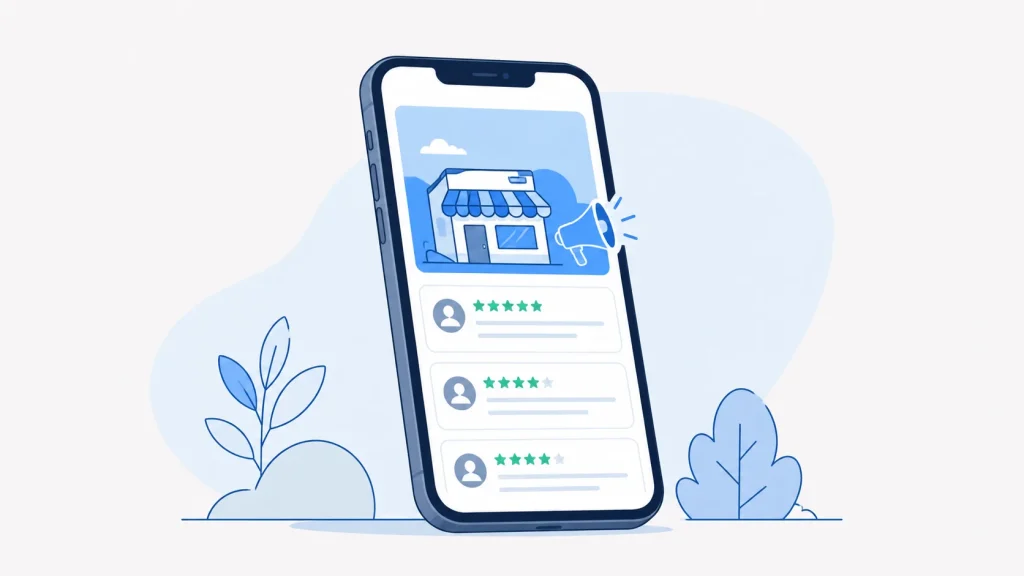
Google Posts (labeled “Updates” in the current interface) appear directly on the profile. They can hold offers, events, or general updates and expire after a set period. Anyone viewing the listing can see them.
Q&A Management
The Q&A section is publicly editable. Anyone can ask a question, and anyone can answer, including the business owner. If the public answers first with something wrong, that answer sits on the profile until the owner addresses it. Checking Q&A is worth adding to a regular review routine.
Reviews
Responding to reviews, positive and negative, is worth doing. The response appears publicly next to the review. Review recency is also visible; a cluster of reviews from three years ago with none since is something a searcher notices when comparing options.
Posts, Q&A, and review responses need attention on a repeating basis. Unlike core fields, they are not a one-time task.
Citations: The Supporting Layer Around the GBP
What Citations Are and Why Consistency Matters
A citation is any online mention of a business’s name, address, and phone number (NAP), whether on a general directory like Yelp or an industry-specific one. When the same business appears on multiple directories with slightly different addresses or phone numbers, a person comparing listings sees contradictory information.
A duplicate listing means the same business appears twice on the same platform, often with different review counts on each. A searcher sees two entries and may not know which is current.
Which Directories to Prioritize
The core set worth checking:
- Google Business Profile itself
- Apple Business Connect
- Bing Places
- Yelp
- Industry-specific directories (for example, health directories for a clinic, or the local chamber of commerce)
For a physiotherapy clinic, a curated industry list matters more than a huge generic one. A handful of directories relevant to healthcare businesses is worth more than a long list of general ones.
When to Order a Cleanup
A cleanup is worth ordering when an audit reveals inconsistencies you cannot fix in an afternoon, or when the business has moved, changed phone systems, or rebranded. Local Citation Services has completed 24,000+ orders across 50+ countries and can build up to 350 citations as a one-time job. Around 80% of submissions typically go live.
Takeaway: Fix what you can see in the top six directories first. Order a cleanup when the list of inconsistencies is longer than a lunch break.
How to Check Whether Your GBP Is Working
Metrics Available Inside the Profile
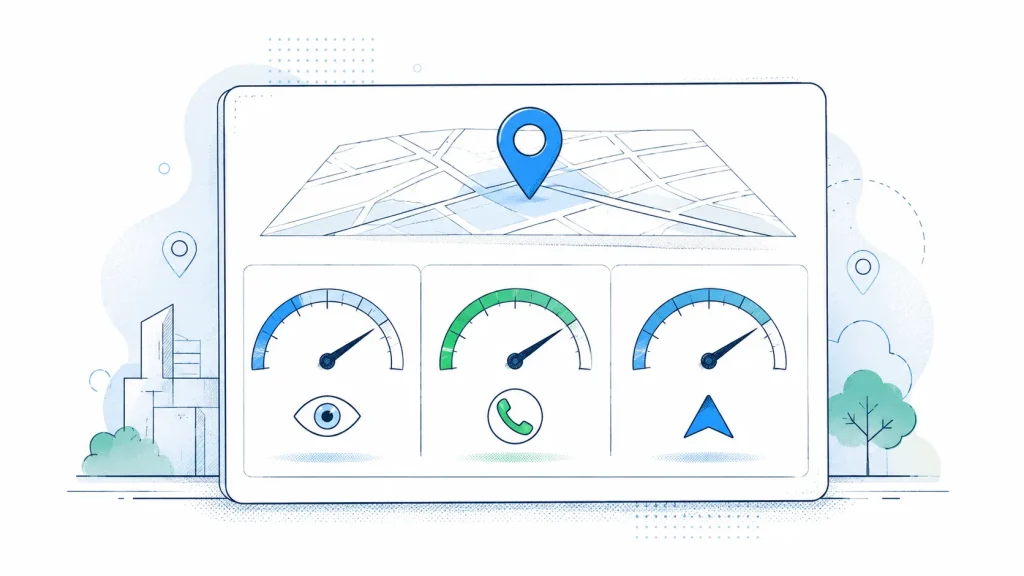
The GBP performance dashboard shows the search queries that brought the profile up, plus views, direction requests, call clicks, and website clicks. All of this is available without third-party tools. Direction requests and call clicks are the most direct indication that a searcher is ready to act. A sudden drop is a prompt to check whether the profile was suspended, whether hours changed, or whether a directory overwrote the address.
Search query data inside the dashboard shows the terms that triggered impressions. A business can compare those terms against its categories and services list to spot gaps. If people are searching “sports physio near me” and the services list does not mention sports physio, that is an editable gap.
What to Check Beyond the GBP Dashboard
Open the profile as a logged-out user, on both Google Search and Google Maps. That view shows what a first-time searcher actually sees, including whether photos, hours, and attributes display the way you intend. Something that looks correct in the dashboard sometimes reads differently on a phone.
Set a calendar reminder to review core fields quarterly. Addresses, phone numbers, and hours drift. Directories sometimes overwrite GBP data from older sources. A short quarterly check catches these before they sit for months. For a wider view of how citations tie into the profile, the local SEO overview covers the pieces that surround it.
Frequently Asked Questions
What is the difference between GBP optimization and local SEO?
GBP optimization is the specific work of completing and correcting a Google Business Profile. Local SEO is the broader set of activities that includes GBP, citations across directories, website content, reviews, and anything else that describes a local business online.
Do I need to pay to optimize my Google Business Profile?
No. The profile itself is free, and every field can be edited by a verified owner at no cost. Paid help is optional. People hire specialists when they want manual work, an audit report, or corrections across many directories done in one order.
What happens if my business has duplicate Google listings?
Duplicates mean the same business appears twice on Google, often with different review counts and slightly different information on each. A searcher may see both and not know which is current. Duplicates can be reported to Google for merging or removal.
How often should I update my Google Business Profile?
Update the core fields (address, phone, hours, categories) whenever they change. Add Posts and respond to reviews on whatever cadence fits the business. A quarterly review of the whole profile catches drift without becoming a chore.
What are citations and how do they relate to my GBP?
A citation is a listing of your business name, address, and phone number on a third-party directory. Consistent citations across directories mean a person cross-checking your business finds the same details everywhere. Inconsistent citations produce contradictions a searcher can see.
Can I optimize a GBP for a business with no physical address?
Yes. Service-area businesses hide the address and define the geography they cover. The categories, services, hours, photos, and description fields all work the same way for a service-area setup as for a storefront.
What should I do if my GBP listing gets suspended?
Read the suspension notice inside the dashboard, correct whatever it flags (often a category mismatch, a virtual office address, or a name that includes keywords), then submit a reinstatement request through the GBP help form. Do not submit repeatedly; wait for the response.
A Practical Next Step
Open your profile now, logged out, on a phone. Note anything that looks wrong or missing: the primary category, the description, the hours, the photos, the phone number that answers. Then check the same details on Yelp, Apple Maps, Bing Places, and Facebook. If the differences are longer than a lunch break, a one-time directory audit and citation build is worth ordering. If the profile itself needs sorting first, start there. Either way, the work is checkable, and the fields either match reality or they do not.

Founder, Local Citation Services and Local SEO Expert
Sharif has built local citations by hand since 2009, across 24,000+ orders and 50+ countries. He leads the team that submits every listing manually, checks what already exists before adding anything, and reports back with a live URL and a login for each one. He writes about what the work actually involves, what goes wrong, and what a business owner can check for themselves without buying a tool.