
Moving companies face a local SEO problem most businesses never encounter: the business address itself keeps changing. A company may relocate its office, add a second depot, or run entirely from service areas with no fixed storefront. Each of those situations leaves traces in directories, maps, and listing platforms that need to be found and corrected. Getting citations submitted and kept accurate is a recurring job, not a one-time task, and it starts long before a truck rolls out. This guide walks through what to check at each stage, and where ordering the local submissions usually fits in.
On this page
Key Takeaways
| The question | The answer |
|---|---|
| What makes listings harder for a moving company than for other trades? | The address changes, and sometimes there is not one at all. Every relocation leaves a live record at the old address, and every one of those is a chance for a duplicate. |
| Storefront or service area? | Decide before submitting anywhere. If the company visits customers rather than receiving them, hide the address and list service areas. The two modes cannot both be true, and switching later means correcting every platform again. |
| Where do I start after a move? | Google Business Profile first, because other directories pull from it. Then the aggregator level, then the major platforms by hand. Correcting only the end directory leaves the source unchanged and the old address can come back. |
| Why do movers end up with duplicates? | A new listing gets created at the new address and the old one stays live. Automated tools that build listings from public records and vehicle registrations make it worse. |
| What should I search for when auditing? | Not just the business name. Every old street address and every phone number the company has ever used. That is where the records nobody remembers turn up. |
| How often does this need redoing? | When something concrete changes: address, phone, name, a new location, or a profile suspension. Between those, five minutes a month on the three main map platforms catches most reversions. |
What You Will Need Before You Start

Before touching any directory, gather the details that every listing will ask for. The exact legal business name, the current address or the service-area boundaries, one primary phone number, and the service categories that match what the company actually does: local moves, long-distance, commercial, packing, storage. Write these down in one document. Every mismatch later starts with two versions of one of these fields.
Your current registered business address vs. your service area
Movers must decide upfront whether to list a physical address or run as a service-area business (SAB) on Google Business Profile. The two modes require different configuration and cannot both be true at the same time. A storefront listing shows a pin at the door. An SAB listing hides the address and shows the cities served instead. Google’s guidance for local businesses states that “businesses with complete and accurate info are more likely to show up in local search results”, and that if the info is not accurate the profile “might not show up for relevant searches in your area”. Pick the mode that matches how customers actually reach the business, then stay in that mode across every directory.
A list of every platform where the business is already listed
Before corrections begin, build a directory audit that captures every platform where the business currently appears, including old addresses from previous offices. Search the business name, each old street address, and each phone number the company has ever used. Note every hit in a spreadsheet with the URL, the listed address, the listed phone, and whether the listing is claimed. Service-area movers should also define their coverage cities explicitly at this stage rather than leaving them blank, because an undefined service area leaves many directory fields empty later.
Takeaway: Choose storefront or service-area mode before any submission, and audit what already exists under old addresses first.
When Your Address Changes: Updating Listings After a Move

When a moving company relocates, old address data persists on dozens of directories indefinitely. Platforms do not automatically detect the change, and some cache the old address for months even after a correction is filed.
Updating Google Business Profile first
Google Business Profile is the first stop, because many third-party directories pull data from it. Those pulls are not instant. Some platforms refresh weekly, some monthly, and some only when someone edits the record by hand. Update the address on the profile, then move on rather than waiting for downstream sites to catch up on their own.
Working through directories and aggregators
Aggregator networks are data wholesalers that feed multiple directories from a single source. A correction at the aggregator level flows out to the sites that subscribe to it. A correction at only the end-directory leaves the source unchanged, and the next aggregator refresh can repopulate the old address. Handle both. After that, work manually through Yelp, Apple Maps, Bing Places, Facebook, Foursquare, and Nextdoor, because each has its own claim and update process. A move is the point at which correcting records that already exist matters more than adding new ones.
Finding and correcting old address listings that stay live
Unclaimed listings are the hardest to correct after a move. They cannot be edited without first going through each platform’s claim process, which can take days to weeks per platform and often involves postcard or phone verification. Work through the audit spreadsheet row by row. Some listings will resolve in one edit; others will need a support ticket and a wait.
Takeaway: Update Google Business Profile first, correct at aggregator level as well as end-directory, and expect unclaimed old listings to take the longest.
Service-Area Configuration: When There Is No Fixed Address

Many movers do not want a storefront pin at all. They dispatch trucks and visit customers, and a public office address invites walk-ins they cannot serve.
Setting up a service-area business on Google Business Profile
Google Business Profile lets movers hide the physical address and list service areas by city, region, or postal code instead. This is the recommended setup for companies that visit customers rather than receive them. The Google Business Profile setup work covers claiming the profile, hiding the address, and defining the coverage areas cleanly. Some platforms limit the number of service-area cities that can be listed; when that happens, list the highest-volume markets first.
Matching service areas across directories
Many secondary directories do not support service-area mode and require a physical address field. Leaving that blank or entering a P.O. box can get the listing rejected or left incomplete. Where a real address must be entered, use the same one the company files on its tax returns, and be consistent about it. Service areas defined on Google should also match the cities and regions named on the company website, so the information a customer sees on any platform matches what they find on the site. When a mover expands into a new city, existing directory records need to be updated with the extra coverage; adding the city to a website page does not touch the listings.
Takeaway: Hide the address on Google if the company visits customers, keep service areas aligned across site and directories, and update listings when coverage changes.
Duplicate Listings: Why Movers Accumulate More Than Most
Every address change is an opportunity for a duplicate. A new listing gets created at the new address, the old one stays live, and now there are two records for one business on one platform.
How duplicate listings form during and after a move
A duplicate means the same business appears twice, with different review counts on each, so customers see inconsistent information depending on which record they land on. Automated listing-creation tools used by some directories generate new entries from public records, permits, or vehicle registrations. After a move, those tools can create a fresh listing at the new address without touching the old one.
Steps to find and resolve duplicates
Owner-verified listings can usually be merged or removed through each platform’s own support process. Unverified duplicates typically require a flag or a report submission and are slower to resolve, sometimes needing a support ticket per record.
Riverside Moving Co. is a composite example, not a real client, and the figures in it are invented for the illustration. Only the method is real. The company had relocated twice in four years. A directory audit found active Yelp listings at three separate addresses, none of which showed the current one correctly. Two were unclaimed and required separate flag submissions. One was owner-verified but tied to a former manager’s email, which had to be recovered before the record could be merged. The oldest of the three listings was still live at the time of writing, with a support ticket open.
Takeaway: Movers accumulate duplicates because every relocation can spawn a new record; resolving them is a per-platform, per-record job.
Keeping Listing Data Consistent Across Name, Address, and Phone
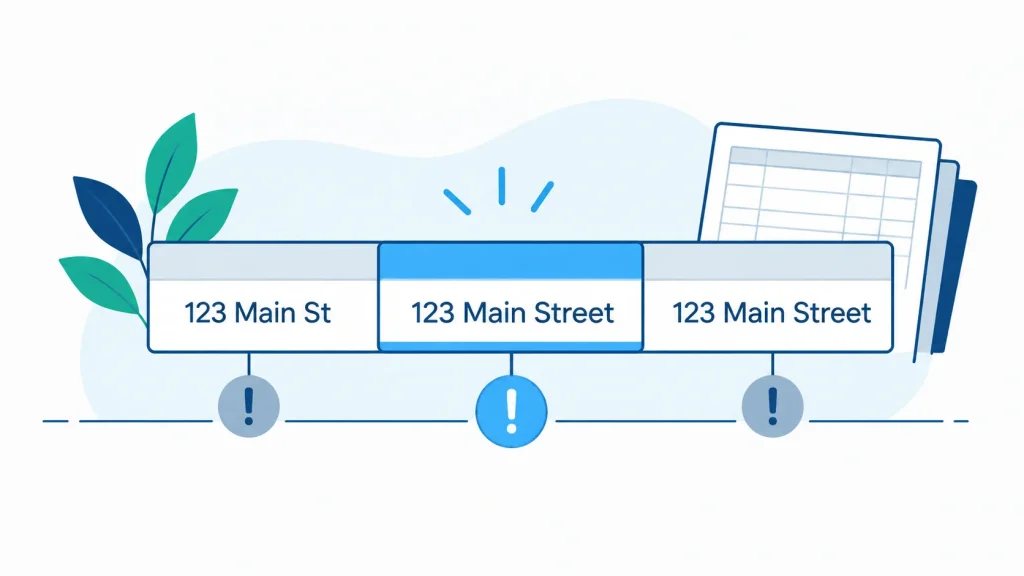
Small formatting differences add up. Details should match on name, address, and phone across every directory. Abbreviations like “St” versus “Street”, or a missing suite number, can create what functionally reads as separate records for one business.
Moving companies often use a dispatch number, a sales line, and a general office number interchangeably across listings. Pick one primary number and use it everywhere. The other lines can still ring; they just should not appear as the public number on directory records.
Business name consistency matters even more for movers operating under a DBA (doing business as) name. The DBA, not the legal entity name, should appear on every customer-facing listing. If the LLC is “Calder Group LLC” but customers know the company as “Calder Removals”, the listings say Calder Removals.
Checking consistency yourself
A do-it-yourself consistency check involves searching the business name, old addresses, and phone number variations across Google, Yelp, Apple Maps, Bing Places, Facebook, and Foursquare, then noting every mismatch in a spreadsheet. Broader local SEO audit work covers the same ground when a manual check is not practical. After any correction is submitted, re-check the same platforms two to four weeks later, since some directories queue changes rather than applying them immediately.
Takeaway: One primary phone, the DBA name, and a matching address format across every listing; then re-check a few weeks later.
When to Order Listing Work Again
Listing data drifts. Platforms refresh from aggregator feeds, merge duplicate records, or apply automated corrections that undo good data. A listing that was accurate six months ago may quietly have reverted to an old address.
Specific trigger events for a fresh citation review include a change of address, a change of phone number, a rebranding or name change, adding a second location, or having the Google Business Profile suspended and reinstated. Any of those is a reason to re-order.
Between full reviews, run a quick manual spot-check monthly: search the business name on Google Maps, Bing Maps, and Apple Maps, and confirm the address, phone, and hours shown are current. This is five minutes of work and usually catches the biggest reversions early.
Re-ordering listing work is a one-time job each time it is needed, not a subscription. The work covers whatever has drifted or changed since the last round. Riverside Moving Co., the composite above, saw this a year after its first full build: a batch of listings quietly reverted to a previous address after an aggregator refresh, and a second correction order was needed to put them back. Most resolved. A couple of platform tickets stayed open.
Takeaway: Re-order listing work when something concrete changes, and spot-check the three big maps monthly between rounds.
Frequently Asked Questions
Can a moving company use a home address for its Google Business Profile?
Yes, but the address should be hidden and the profile configured as a service-area business. Google allows this for companies that visit customers at their locations rather than receiving customers at the listed address.
What happens to old listings when a moving company changes its address?
Old address data stays live on most directories until someone corrects it. Platforms do not automatically detect a move, and some aggregators can push the old address back into circulation months after a correction is filed.
How do I set up a service-area business listing if I have no storefront?
In Google Business Profile, enter the address during verification, then choose to hide it and define service areas by city, region, or postal code. On directories that require a physical address, use the same registered address consistently.
How long does it take for directory updates to go live after a correction?
It varies by platform. Some apply edits within a day, others queue changes for weekly or monthly refreshes, and unclaimed listings often need a separate verification step. Re-check the platform two to four weeks after submitting.
Do I need to update every directory manually, or is there a faster way?
Aggregator-level corrections propagate to many downstream directories from one submission. Major platforms like Google, Yelp, Apple Maps, Bing Places, and Facebook still need individual edits because each runs its own claim and verification process.
Why does my moving company show two listings on Google Maps?
Almost always because a new listing was created at a new address without the old one being removed. Automated tools that generate listings from public records can also produce duplicates. Both records need to be claimed or flagged to resolve.
How often should a moving company audit its directory listings?
A full audit fits naturally around trigger events: address changes, phone changes, rebrands, or new locations. Between those, a monthly five-minute spot-check on the three main map platforms catches most reversions early.
Sources
Google Business Profile Help, “Improve your local ranking on Google”, at support.google.com/business/answer/7091. Used for the single quoted statement about complete and accurate information, and for nothing else. Checked 7 September 2026.
No other external source is cited. The directory and platform names in this article are a list of where a moving company commonly appears, drawn from our own submission work rather than from a published ranking.
The figures inside the worked example are invented for the illustration and are labeled as such where they appear.
How This Guide Was Made
Local Citation Services sells citation building and cleanup, so there is a commercial interest behind this guide. That is worth stating plainly.
The guide describes what the work involves and what a moving company can check for itself. It does not say what any of it produces in search results, because that is not something we can verify, and the one statement on that subject is quoted from Google’s own documentation and linked.
Riverside Moving Co. is invented. The sequence it describes, an audit turning up records at addresses the company no longer occupies, is the ordinary shape of the work rather than an unusual case.
Next Step
The mechanics above are the work: a clean audit, a mode decision on Google, a proper aggregator update, per-platform manual edits, and a re-check a few weeks later. Most of that is time on a spreadsheet and time in support queues rather than clever tactics. When the manual version becomes impractical, the submissions and corrections can be ordered as a one-time job each time something changes, tied to the event that triggered the review rather than running as a subscription in the background.

Founder, Local Citation Services and Local SEO Expert
Sharif has built local citations by hand since 2009, across 24,000+ orders and 50+ countries. He leads the team that submits every listing manually, checks what already exists before adding anything, and reports back with a live URL and a login for each one. He writes about what the work actually involves, what goes wrong, and what a business owner can check for themselves without buying a tool.