
A phone number change feels like a small admin task, but the old number can sit on dozens of directories for months, sending callers to a dead line or to whoever has the number now. Tracking down every record and correcting it is methodical work that any business owner can start today. The process is straightforward once you know the order to follow, and most of it costs nothing but time.
On this page
Key Takeaways
| The question | The answer |
|---|---|
| Where do I start? | Not with edits. Search the old number on the major platforms and list every result that returns your business, with its URL and whether you already control the account. |
| Should I cancel the old line straight away? | No. Keep it forwarding to the new number while the corrections work through. Callers will find stale listings for weeks, and a dead line loses those calls permanently. |
| Does fixing Google fix the rest? | No. Yelp, Apple Maps, Bing, Facebook and every directory below them hold their own copy. Each one needs its own edit. |
| What order should I work in? | The platforms most callers see first, then the aggregators that feed the smaller sites, then the long tail. The long tail is where the hours go. |
| How do I know it worked? | Search the old number again a month later. Then search the business name in quotes with the city, because some listings show the old number in the profile text without matching a number search. |
| What if one directory never updates? | Expect at least one. Document each attempt with a date and a screenshot, and leave the old line forwarding until that entry is dealt with or written off. |
What You Need Before You Start
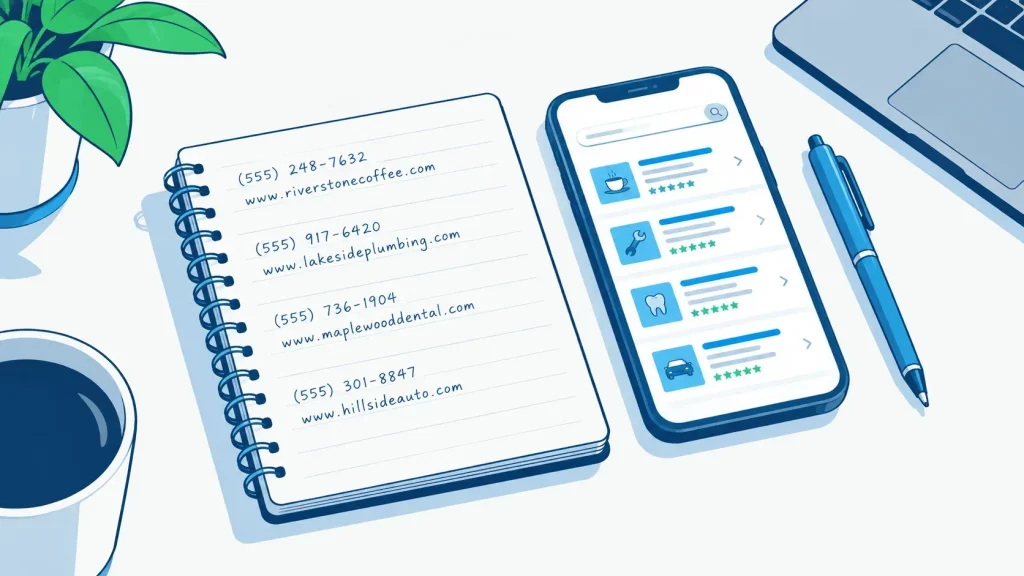
Before you open a single directory, put the details in one place. Trying to work from memory is how the wrong number ends up copied into a correction form.
The information to gather
- Exact business name as it appears on your current profiles
- Old phone number (the one being replaced)
- New phone number
- Full street address with suite or unit
- Website URL
- Login credentials for any directory accounts already claimed
Run a search for the old phone number on Google, Bing, Apple Maps, Yelp, Facebook, and Foursquare. Every result that returns your business is a listing that needs a correction. Add each one to a working list with its URL. Unclaimed listings will need a separate verification step later, so note which ones you already control and which ones you do not.
Decide what to do with the old number
Keep the old number ringing during the correction window. Callers will find stale listings for weeks, and a dead line loses that business permanently. A cheap forwarding number or a virtual line pointed at the new number bridges the gap while directories update at their own pace. Cancel the old line only once the search for it comes back empty.
Takeaway: Gather the details, list every directory carrying the old number, and keep the old line forwarding before you edit anything.
Fix the Big Four First

A small number of profiles account for most of the calls a business receives from search. Correct those before touching the long tail.
Google Business Profile
Log in, open the Info panel, edit the phone field, and save. Google may prompt for verification if the change looks unusual, so watch the profile for a day or two after saving. Google’s own guidance states that “businesses with complete and accurate info are more likely to show up in local search results” and that if the information is not accurate the profile “might not show up for relevant searches in your area” (Google Business Profile help). A phone correction is a good moment to check the address, hours, and category fields too, since the same guidance applies to all of them. If Google Business Profile work is stalling on verification, dedicated Google Business Profile support can take that piece off your plate.
Apple Maps, Bing Places, and Facebook
Apple Maps corrections are submitted through Apple Maps Connect. Approval is not instant and the timing is theirs, not yours. Bing Places can mirror Google Business Profile data when the accounts are linked, but open the Bing dashboard and confirm the phone field updated. Do not assume it did. Facebook Business Pages store the phone number independently of everything else; update it under Page Settings rather than expecting it to pull from another source.
Takeaway: Google, Apple, Bing, and Facebook cover the profiles most callers see first. Fix them by hand and verify each save.
Work Through the Remaining Directories

Once the big four are corrected, the long tail is the actual project. This is where most of the hours go.
Data aggregators and why they matter
A handful of aggregators feed dozens of smaller directories from a single database. Correcting the record at the aggregator level reduces the number of manual updates you have to file downstream. It does not eliminate them. Aggregator changes take time to filter out, and some smaller directories pull data on their own schedule.
Yelp, BBB, Nextdoor, and Foursquare
Yelp updates require a claimed listing. Once logged in, the phone field is editable under Business Information. Save it, then check the public listing rather than assuming the save took. The Better Business Bureau, Nextdoor, and Foursquare each maintain independent records that do not inherit changes from Google or from aggregators. Log in to each, edit the phone field, save, and note the date on your working list.
Smaller and industry-specific directories
Industry-specific directories, chamber of commerce sites, and local newspaper listings often carry stale phone numbers longest because they are updated least frequently. Which ones apply depends on the trade: the sites an HVAC company appears on are not the ones a law firm needs to check. Keep a simple spreadsheet with columns for directory name, URL, old number confirmed, correction submitted, and correction verified. Without it, the project stalls halfway through.
Takeaway: Correct aggregators, then the major independent directories, then the long tail. Track every submission in one sheet.
A Worked Example: One Business Through the Process
This is a composite example, not a real client, and the figures in it are invented for the illustration. Only the sequence is real. It follows a two-van heating company through a number change, from the first search to the entry that never got fixed.
Finding the problem
A search for the old number in week one returned 34 listings carrying it. They were spread across Google, Apple Maps, Yelp, Bing, Facebook, four aggregators, and roughly 26 smaller directories including two trade associations and a regional newspaper business finder. The owner had assumed Google was the only place that mattered and was surprised by the count.
Working through the corrections
Google Business Profile and Facebook were corrected in a single afternoon. The aggregator submissions were filed the same day and began reflecting in smaller directories over the following weeks. Apple Maps went through cleanly. Yelp required a support ticket because the account email had changed with an old staff departure, and that added several days before the phone field could be edited. Bing Places had linked to Google earlier but the phone field had not synced, so it needed a manual edit.
What was still open at the end
Six weeks in, one regional directory still showed the old number. A second correction request was submitted through their contact form. By the end of the project the listing had not updated, and the owner had not heard back. The forwarding on the old line was left in place for another month for that reason alone.
Takeaway: Even a clean, methodical run leaves loose ends. Plan for at least one directory that will not cooperate.
When a Directory Will Not Update
Most directories offer either a support contact or a flag-as-incorrect option on the public listing. Use these rather than submitting repeated edits that can conflict with each other. If a listing is unclaimed and the directory offers a claim process, claim it first. Direct edit access is faster than a support form.
For directories with no claim process and no useful support response, a duplicate listing filed with the correct number can sometimes displace the stale one over time. This is not guaranteed. Document every submission with a date and a screenshot or a confirmation email. That record is useful if you have to escalate a dispute or hand the work over to someone else.
Some aggregator records are seeded from public business registrations and revert to the old number after a manual correction. Re-checking a few months later and ordering another round of corrections is normal work, not a sign the first round failed. If the volume is more than you want to handle manually, a citation cleanup pass can take a fresh audit and file the corrections in bulk.
Takeaway: Escalate through the directory’s own tools, keep screenshots, and accept that some records will need a second pass later.
Checking Your Work and Keeping It Accurate

How to verify corrections went live
Four to six weeks after submitting all corrections, search the old phone number again in Google and Bing. Any result still showing it identifies a listing that needs a follow-up. Then search the business name in quotation marks alongside the city. This surfaces listings that display the old number in the body of a profile without matching a phone-number search.
Some platforms publish an approved change quickly and others sit on it, so a check a month out tells you more than one after a week. Details matching on name, address, and phone across every directory is the goal.
When to order another round of corrections
Listing data drifts over time as aggregators refresh from older sources. After a significant business change, such as an address move, a rebrand, or another number change, it is worth running the corrections across every directory again rather than assuming the last round held. Broader local SEO work may pick up other issues that a phone-only audit misses, like category mismatches or duplicate profiles that surfaced after the fact.
Takeaway: Verify at 30 days, search by name as well as by number, and plan a second pass after any other major change to the business.
Frequently Asked Questions
How do I find all the directories that still show my old phone number?
Search the old number in Google, Bing, Apple Maps, Yelp, Facebook, and Foursquare. Every result that returns your business is a listing to correct. Add each one to a working spreadsheet with its URL.
Does fixing my Google Business Profile automatically update other directories?
No. Google Business Profile only controls what appears on Google Search and Maps for your profile. Yelp, Apple Maps, Facebook, Bing, and every other directory hold their own copy and must each be updated separately.
Should I keep my old phone number active while I update my listings?
Yes. Callers will find stale listings for weeks. Keep the old line forwarding to the new number during the correction window so those calls still reach you, and only cancel it once searches for the old number come back empty.
How long does it take for directory listings to show the new phone number?
Nobody can tell you, including us. Each platform publishes on its own schedule and none of them commits to one. Some go through quickly, some sit, and a few never move at all. Plan for the slowest rather than the fastest: keep the old line forwarding and check again a month out.
What do I do if a directory won’t let me edit or remove my old number?
Try the flag-as-incorrect option on the public listing first, then the directory’s support contact. Document each attempt with a date and a screenshot. If nothing works, filing a fresh listing with the correct details sometimes helps.
Can a wrong phone number on listings affect my business profile on Google?
A wrong number is inaccurate information, and Google’s guidance on accurate profiles is quoted earlier in this article. What is certain without any of that is simpler: a caller who dials the old number does not reach you.
What is a data aggregator and why does it matter for my phone number change?
An aggregator is a database that feeds business details to dozens of smaller directories. Correcting your record at the aggregator level reduces how many small directories you have to update manually, though it does not eliminate them.
How often should I re-check my business listings after a phone number change?
Check at 30 days, then again at 90 days. After that, re-check whenever the business changes something else, such as an address, hours, or another number. Aggregators can refresh from older sources and reintroduce stale data.
Sources
Google Business Profile Help, “Improve your local ranking on Google”, at support.google.com/business/answer/7091. Used for the single quoted statement about complete and accurate information, and for nothing else. Checked 10 September 2026.
No other external source is cited. The platform names in this article are a list of where a business commonly appears, drawn from our own submission work rather than from a published ranking.
The figures inside the worked example are invented for the illustration and are labeled as such where they appear. No timing is given for how long any platform takes to publish an approved change, because that is their schedule and it varies.
How This Guide Was Made
Local Citation Services sells citation building and cleanup, so there is a commercial interest behind this guide. That is worth stating plainly.
Almost all of the work described here can be done without paying anyone. The edit routes, the claim processes and the escalation steps are free and public, and the article says so rather than implying the job needs buying.
The guide describes what the work involves and what a business can check for itself. It does not say what any of it produces in search results, because that is not something we can verify, and the one statement on that subject is quoted from Google’s own documentation and linked.
The worked example is a composite. The business is not a real client and the figures in it are invented for the illustration. Only the method is real.

Founder, Local Citation Services and Local SEO Expert
Sharif has built local citations by hand since 2009, across 24,000+ orders and 50+ countries. He leads the team that submits every listing manually, checks what already exists before adding anything, and reports back with a live URL and a login for each one. He writes about what the work actually involves, what goes wrong, and what a business owner can check for themselves without buying a tool.