Local Citation Building for Locksmiths: The Complete Guide
Where a locksmith business gets listed, what each listing has to say, and how a real local locksmith avoids looking like the fake listings customers have been warned about.
Last updated November 2026
8 min read
By the team behind 24,000+ citation orders
Table of contents
- 1What a customer sees when they search “locksmith near me”
- 2What counts as a local citation for a locksmith
- 3Where locksmiths get listed
- 4What a complete locksmith listing contains
- 5The fake-listing shadow: proving you are the local one
- 6Five listing mistakes locksmiths make
- 7How to build locksmith citations step by step
- 8A worked example
- 9Do it yourself, or hand it off?
- 10Locksmith citation FAQ
It is late, and someone is standing outside their own front door with the keys on the kitchen table. They search “locksmith near me” on a phone that is nearly out of battery and call one of the first names they see.
Locksmithing has a problem other trades do not: customers have been told to be suspicious. ALOA, the trade’s main association, warns the public about operators who claim to be local while the phone number routes to another state. A real local locksmith gets measured against that warning before anyone picks up the phone.
This guide covers where a locksmith business gets listed, which listings you set up yourself and which an order can cover, how to keep a mobile business from looking like a fake one, and the order to build in.
Key takeaways
| Which listings do I have to set up myself? | Google Business Profile, Apple Business Connect, Yelp and the home-service platforms. Each one verifies with the business. Bing Places and Facebook can be set up for you. |
|---|---|
| What can a citation order cover? | Open general and local directories, submitted by hand with the same name, phone and location details on each. |
| Can someone submit me to ALOA’s Find a Locksmith directory? | No. It lists ALOA members. Joining is what creates the listing. |
| I work from a van. What address do I use? | Hide the street address on your Google profile, set a service area, and handle it the same way on every other listing. |
| Does the name on my listings matter? | Use the name on your license or registration and on the van. A name built from search words looks like the listings customers are warned about. |
What a customer sees when they search "locksmith near me"
The results page shows a map with a few locksmith businesses, then ads, then directory pages. Someone locked out reads none of it closely. They look at a name, a phone number, perhaps a rating, and they call.
The customers who do check have a short list, and ALOA publishes it: look for a local address or phone number, and make sure the company that arrives is the company that was called. Every item on that list is something your listings either confirm or contradict.
What a customer sees. The businesses shown are invented.
The profile behind a map result is your Google Business Profile. Google’s own guidance says that “businesses with complete and accurate info are more likely to show up in local search results”. That sentence is about the profile itself.
Takeaway: A customer who checks compares your name, number and location across whatever they can find. Give them one answer.
What counts as a local citation for a locksmith
A local citation is any online mention of your business name, address and phone number, often with your website, hours and services. For a locksmith, the listing usually also names the work people search by: lockouts, rekeying, car keys, safes, commercial hardware.
Some states license locksmiths, including California, Texas, Illinois, New Jersey and North Carolina, and a few cities and counties do too. Many states do not. Where a license exists, its number belongs on the listing, written the way the state’s lookup shows it.
Takeaway: A citation is your name, address and phone in public. For a locksmith, add services and, where one exists, the license number.
Where locksmiths get listed
The places a locksmith appears fall into four groups. What separates them is how a listing gets there, because that decides who has to do the work.
The four groups, by how a listing gets there.
| Where | What it is | How a listing gets there |
|---|---|---|
| Core profiles | ||
| Google Business Profile | The profile behind map results | You create it and verify it with Google |
| Apple Business Connect, Yelp | The profile behind Apple Maps, and review pages | You create or claim them. Each verifies with the business |
| Bing Places, Facebook | The profile behind Bing, and a business page | An order can set these up. Bing mails a code to the business, which you pass on |
| Home-service platforms | ||
| Angi, HomeAdvisor, Thumbtack | Platforms where homeowners request and compare local pros | You sign up as the business and complete their checks |
| Nextdoor | Neighborhood recommendations and business pages | You claim the business page yourself |
| License and membership records | ||
| State locksmith license lookup | The public record of licensed locksmiths, in states that license the trade | The license creates it. Nothing is submitted |
| ALOA Find a Locksmith | Directory of ALOA members at FindALocksmith.com | ALOA membership creates the listing |
| General and local directories | ||
| Hotfrog, Brownbook, Manta, MerchantCircle, Cybo | General business directories | Open submission. This is what a citation order covers |
| Better Business Bureau | Business record with its own review | Open submission, then the directory reviews it |
| Chamber of commerce and city directories | Local listings | Some are open, some come with membership |
A citation order covers the last group, and it can also set up Bing Places and a Facebook page from the first. The rest of the first group and the next two are created by you, by your license, or by a membership, and no provider can place an order that creates them. If someone lists a state license lookup or an association directory among the sites they will submit you to, ask how.
From our own order reports: general directories such as Hotfrog, Brownbook, Manta, MerchantCircle and Cybo are usually live by the time we deliver the report. Better Business Bureau submissions are usually still in the directory’s own review at that point.
Takeaway: Three of the four groups are yours to set up or earn. The fourth is the one you can hand off.
What a complete locksmith listing contains
On the profiles and platforms you control, a listing does its job when a customer comparing two locksmiths finds nothing to doubt. That means it is:
- Claimed by you. Not an auto-created stub with a phone number you have never seen.
- Under your real name. The name on the license or registration and on the van, with no search words added.
- Clear about location. A street address if customers come to a shop, a service area if you are mobile. Never an address you do not staff.
- Carrying one phone number. The one that rings your business, the same on every listing.
Takeaway: One name, one number, and one honest answer about where you are.
The fake-listing shadow: proving you are the local one
ALOA describes how the scam works. An operator advertises a low price and claims to be local, on a number that, in ALOA’s words, “will often go to an out-of-state location”. The price goes up once the technician arrives, and the company that turns up may not carry the name the customer called.
The listings behind that kind of operation share a look: a generic name built from search words, no street address or one nobody staffs, and several phone numbers for what is supposed to be one business.
Local Locksmith or Look-Alike. The business and its details are invented.
Here is where it catches legitimate locksmiths. A mobile locksmith has no storefront. A two-van business may have picked up a tracking number from a lead platform, an old cell number on a directory nobody remembers, and a name that says “24 Hour Locksmith” on one site and the owner’s surname on another. None of that is dishonest. Set side by side, it looks like the pattern ALOA tells customers to avoid.
What a customer can check is whether everything agrees. The same business name everywhere, matching the van and the invoice. One local phone number. A license number that matches the state lookup, where the state has one. An ALOA membership if you hold it, because ALOA tells customers to ask.
If old numbers and name variants are already out there, finding and correcting the listings that disagree comes before anything new is built.
Takeaway: Customers are told to check whether a locksmith is really local. Listings that agree with each other are how a mobile business passes.
Five listing mistakes locksmiths make
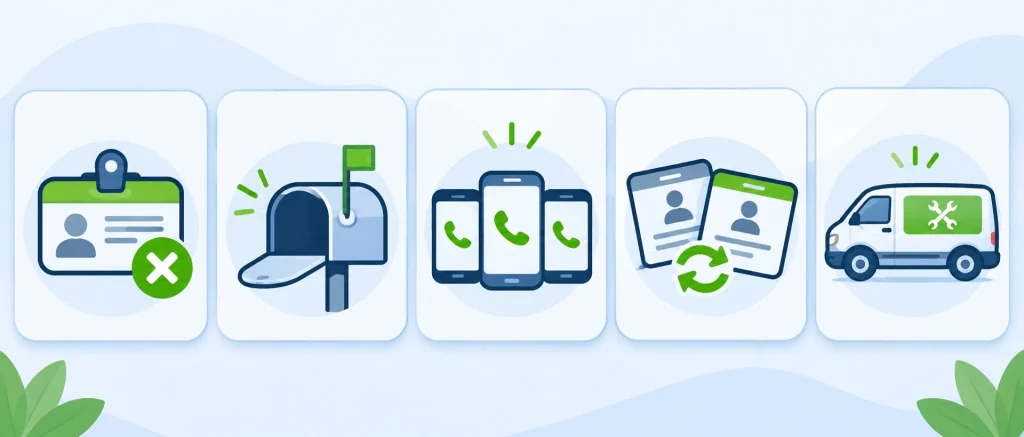
- A keyword name instead of the real one. “24 Hour Locksmith Near Me” reads like the listings customers are warned about. Use the name on the van.
- An address nobody staffs. A mailbox or a shared office listed as a shop. If customers cannot walk in, list a service area.
- A different number on every platform. Lead platforms assign their own numbers. A customer comparing listings sees several businesses.
- A license number that does not match the state record. Or one that is missing in a state that requires it.
- A listing name that is not the name on the van. ALOA tells customers to check that the company that arrives is the one they called.
How to build locksmith citations step by step
If you would rather do it in-house, this is the order we would follow.
The build order: fix what disagrees before adding anything new.
- Write down your reference details. The business name as it appears on your license or registration, one phone number, and either a street address or a service area. Add the license number if your state issues one.
- Set up the core profiles, starting with the ones only you can verify. Google Business Profile, Apple Business Connect and Yelp verify with the business directly, for example with a code sent to the business phone or address, so nobody outside the business can finish them for you. Bing Places and a Facebook page can be set up for you: Bing mails a postcard with a code to the business, and you pass the code on so the listing can be verified.
- Find what already exists. Search your business name, your phone number, and any old address or old name. List every listing you find and mark what is wrong on each.
- Fix before you build. Correct or remove the wrong listings first, so new listings do not sit next to old ones that disagree with them.
- Set up the home-service platforms and membership listings. Sign up on the platforms you plan to use, replace any assigned number with your own where the platform allows it, and make sure your ALOA listing, if you have one, carries the same details.
- Submit to general and local directories. Use the reference details from step one on every form. Completeness matters more than the count.
- Keep a record. Every listing, its login and its status. You will need it the next time anything about the business changes.
None of this is difficult. It is slow, repetitive form work where a single typo creates the next wrong listing, and the verification codes for the core profiles go to the business, not to whoever filled in the form.
Takeaway: Reference details first, your own profiles second, fixes third, new listings last.
A worked example
This is a composite example, not a real client, and the figures in it are invented for the illustration. Only the method is real.
Ironwood Lock & Key is a two-van locksmith business, nine years old, run from the owner’s home. The audit took about an hour and found fourteen listings. Five carried a tracking number from a lead platform the owner left three years ago. Three showed the home address that the Google profile hides. Two used the name “Ironwood 24 Hour Locksmith”, which is not the name on the vans or on the state license.
The reference details were settled first: the licensed name, the business cell number, a service area in place of the home address, and the license number as the state lookup shows it. The listings with the old number or the wrong name were corrected or removed where the directory allowed it. Then the open general directories were submitted with the same details, which took most of two working days.
One listing would not change. A directory that had copied the old tracking number had no claim process and did not answer the removal request. It was still showing the wrong number when this example ends, and it is written into the record so nobody is surprised by it later.
Do it yourself, or hand it off?
Everything above is doable in-house if someone on the team has the hours and the patience for forms. Handing it off tends to make sense when:
- Nobody owns the detail work. The person who would do it is also the person answering lockout calls.
- You have moved, renamed or changed numbers. Old listings need correcting before new ones are worth building.
- You are an agency with several locksmith clients. The hours multiply while the work stays the same.
- Lead platforms left numbers behind. Finding every copy of a tracking number is slow work.
We submit locksmith businesses to open directories by hand and send a report with every live link and login, so the listings stay yours. We can also set up Bing Places and a Facebook page; for Bing, you pass on the code from the postcard Bing mails to you. Google Business Profile, Apple Business Connect, Yelp and the platforms that verify with the business stay with you, and the report says so where a listing is waiting on a step only you can take. The citation building plans are one-time, from $5.
Want your locksmith listings done for you?
Manual submissions, your name, number and service area handled the same way everywhere, and a report with every live link and login.
Plans from $5 · one-time fee
Money-back guarantee. If we can’t make it right, you get your money back.
Locksmith citation FAQ
There is no fixed number. Start with the profiles you control, then the open directories that accept your trade and your area. A short list with matching details is more use to a customer checking you out than a long one that disagrees with itself.
Nothing. Do not invent a credential. Use your registered business name and, if you hold one, your ALOA membership.
We can report it and request removal where the directory has a process for that. The directory or platform decides, and some never answer.
Yes. We submit locksmith businesses to open general and local directories by hand, with a service area in place of a street address where the business is mobile, and send a report with every live link and login.
Sources
- Google Business Profile Help, the page quoted and linked in the first section. It is the one quoted statement about search results in this guide.
- ALOA: how to spot a locksmith scammer. ALOA’s consumer guidance, the quoted phrase about out-of-state numbers, and its Find a Locksmith directory.
- Locksmith Ledger: locksmith licensing, a state-by-state review. Which states, cities and counties license locksmiths. Rules change, so check your own state.
How this guide was made
Local Citation Services sells citation building and listing cleanup, so we have a commercial interest in this page.
Everything in the steps section can be done without paying anyone. The core profiles and platform sign-ups are free to create, and the audit is a matter of searching your own name and number.
We do not say what any listing does to search results. The one statement about search results is quoted from Google’s own help page and linked above. Details about licenses, associations and platforms come from the organizations’ own pages, listed under Sources, and the note about which directories are live at delivery comes from our own order reports. Directories change their forms and rules without notice, so go by what the site shows you. Last checked November 2026.
Ironwood Lock & Key is invented. It is a composite built from the kinds of problems we see, and none of its figures describe a real business.